



Most voice agents never leave demo. Solving cost, latency, and memory together is hard. Optimising it in a day — forget about it.
Up for the challenge? ElevenLabs is covering the credits. You pick the brain — OpenAI, Claude, or Gemini. We’ll give you the perfect focus room to build.
Today’s edition.
Your Slack’s going off all day. 100 notifications total. You need to focus so you hit Mark All as Read.
Boom. You just lost track of all your open threads.
Today, we’re building a Dependency Tracker for this exact issue. It scans your Slack workspace every 48 hours, finds messages you sent with no reply and direct mentions you haven’t responded to using AI, and posts a clean two-section summary straight to your Slack DM. All under 40 minutes.
Set a timer and open a new tab to view this email. We’re getting straight into it.

What you’ll need.
A Slack account with access to at least one workspace. Ideally, this should be the workspace where you could potentially have open threads. A free Groq account. This is our AI layer today, and it has a generous free tier. A Google Account. We’ll use it to test out code on Colab. And a Pipedream account (it’s similar to Make) to set up the actual scheduler and code.
Step 1: Get your Slack token
1. Go to api.slack.com/apps
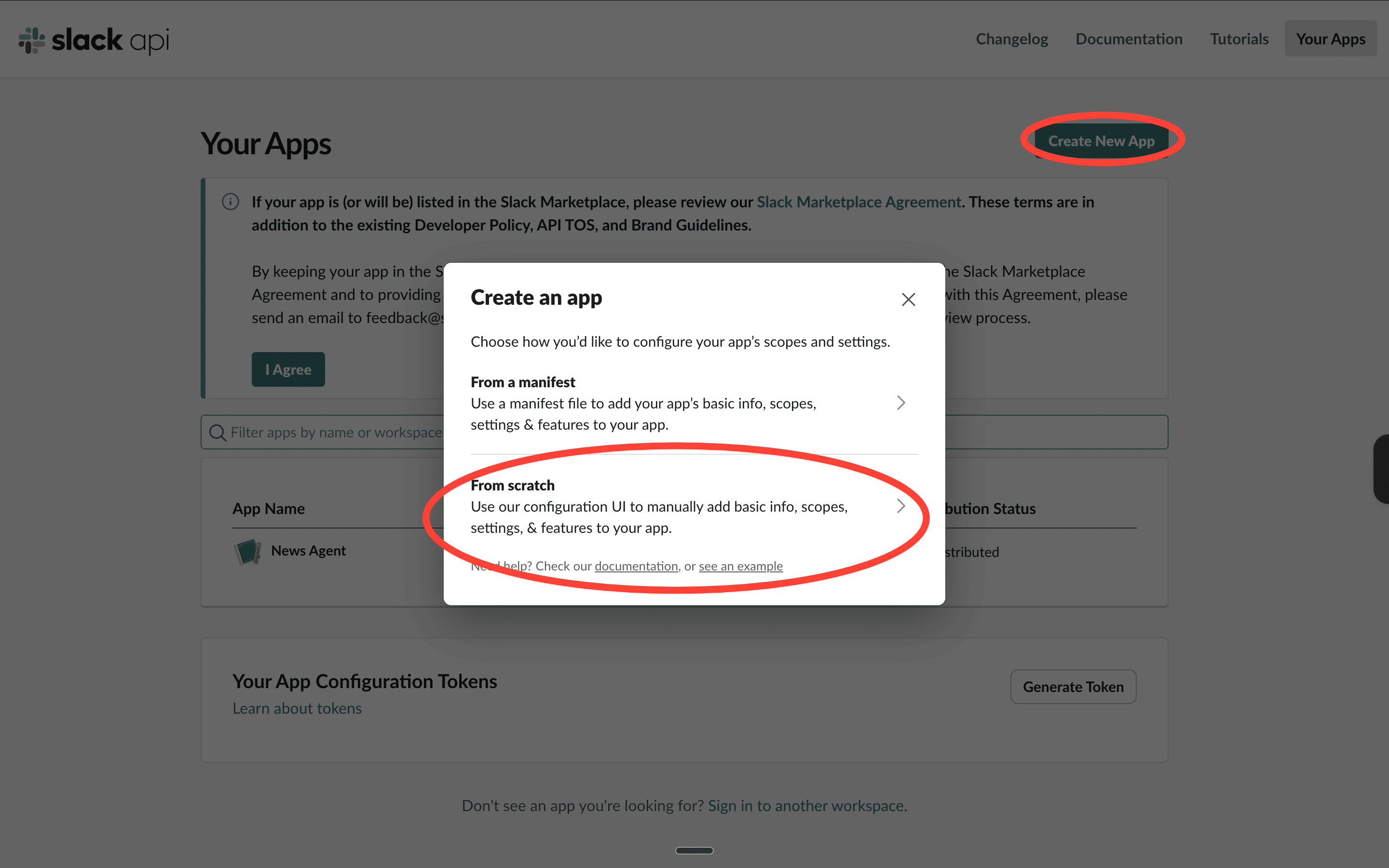
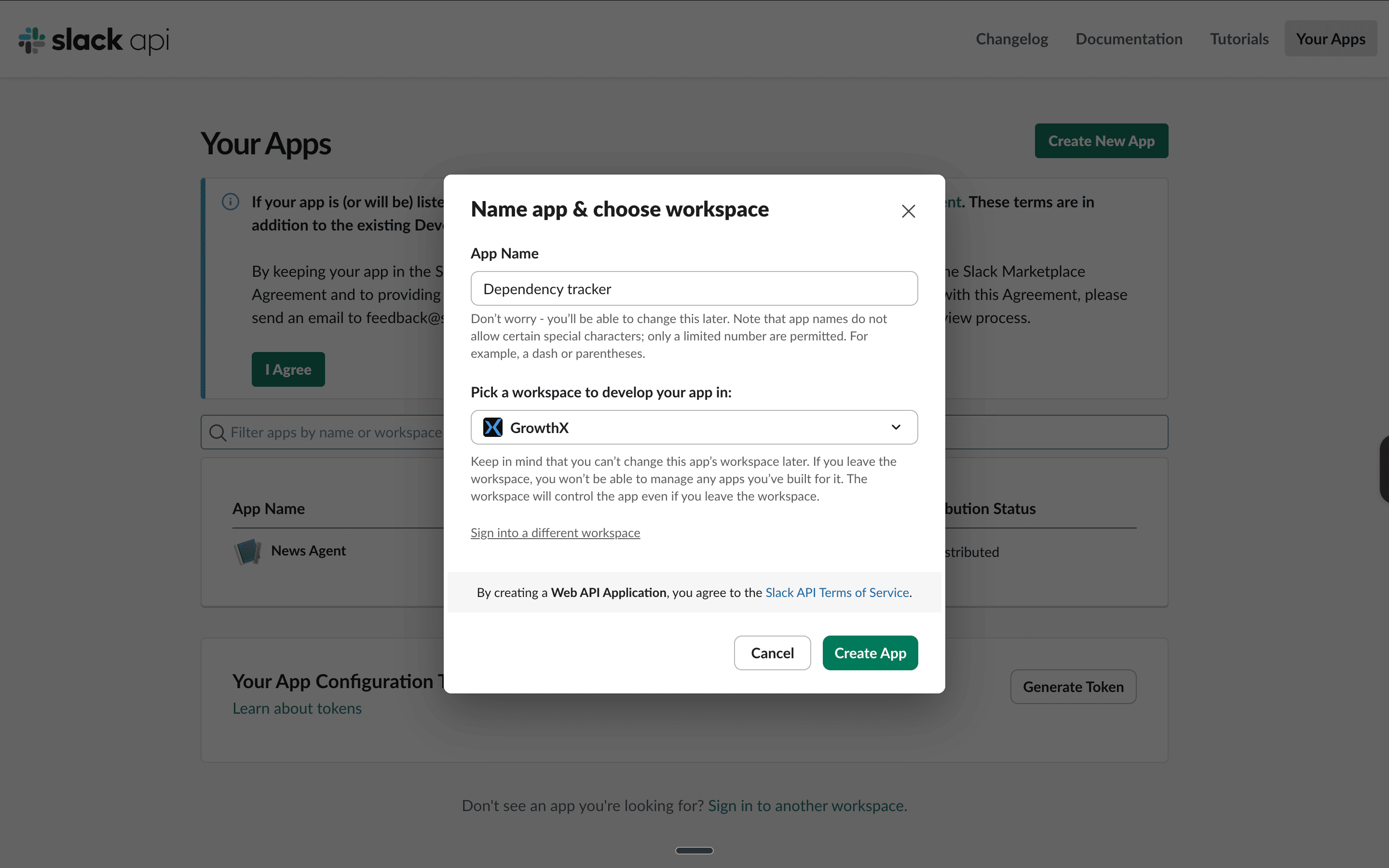
3. Name it anything — Dependency Tracker works. Select your workspace and click Create App
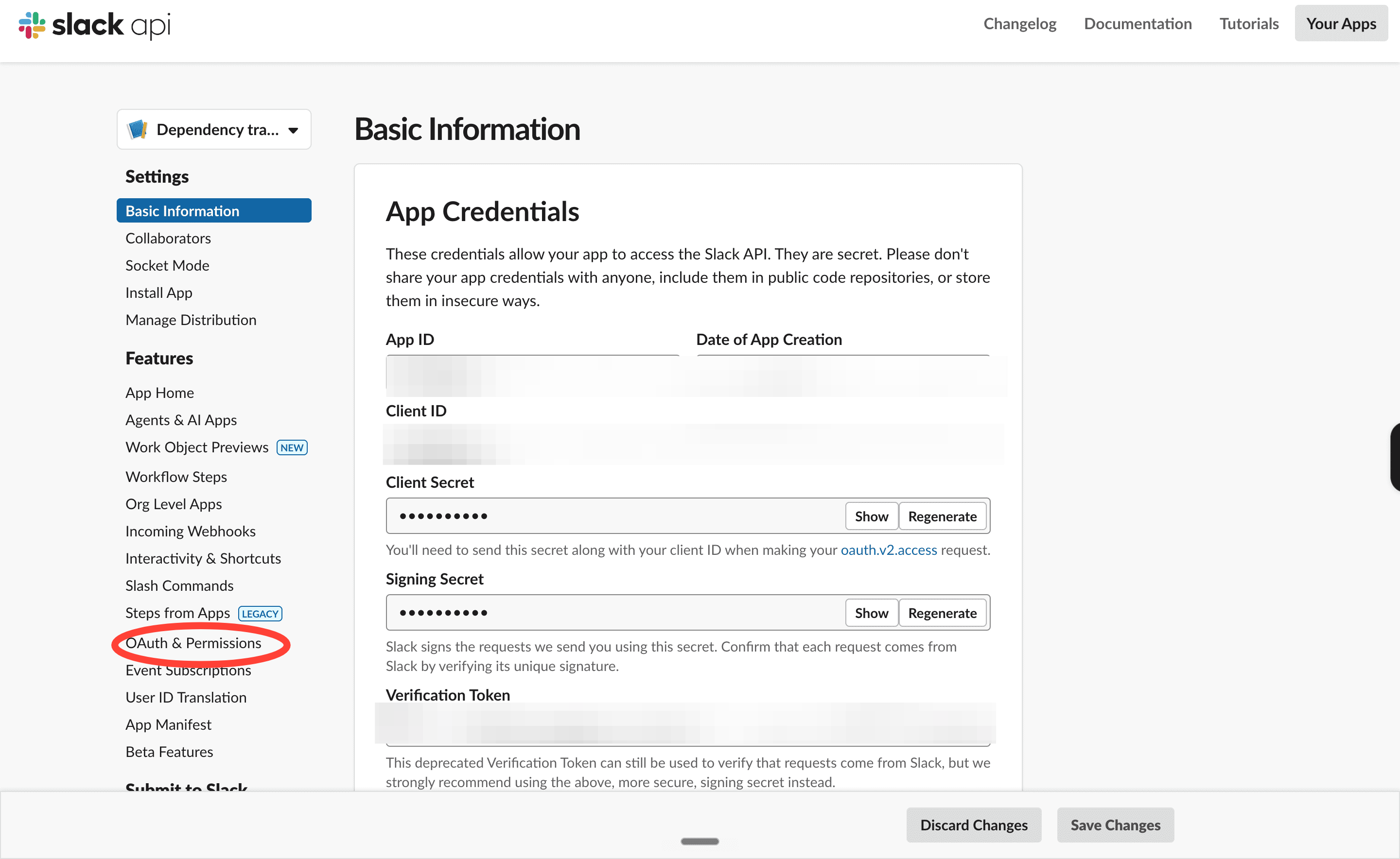
4. On the left sidebar, click OAuth & Permissions
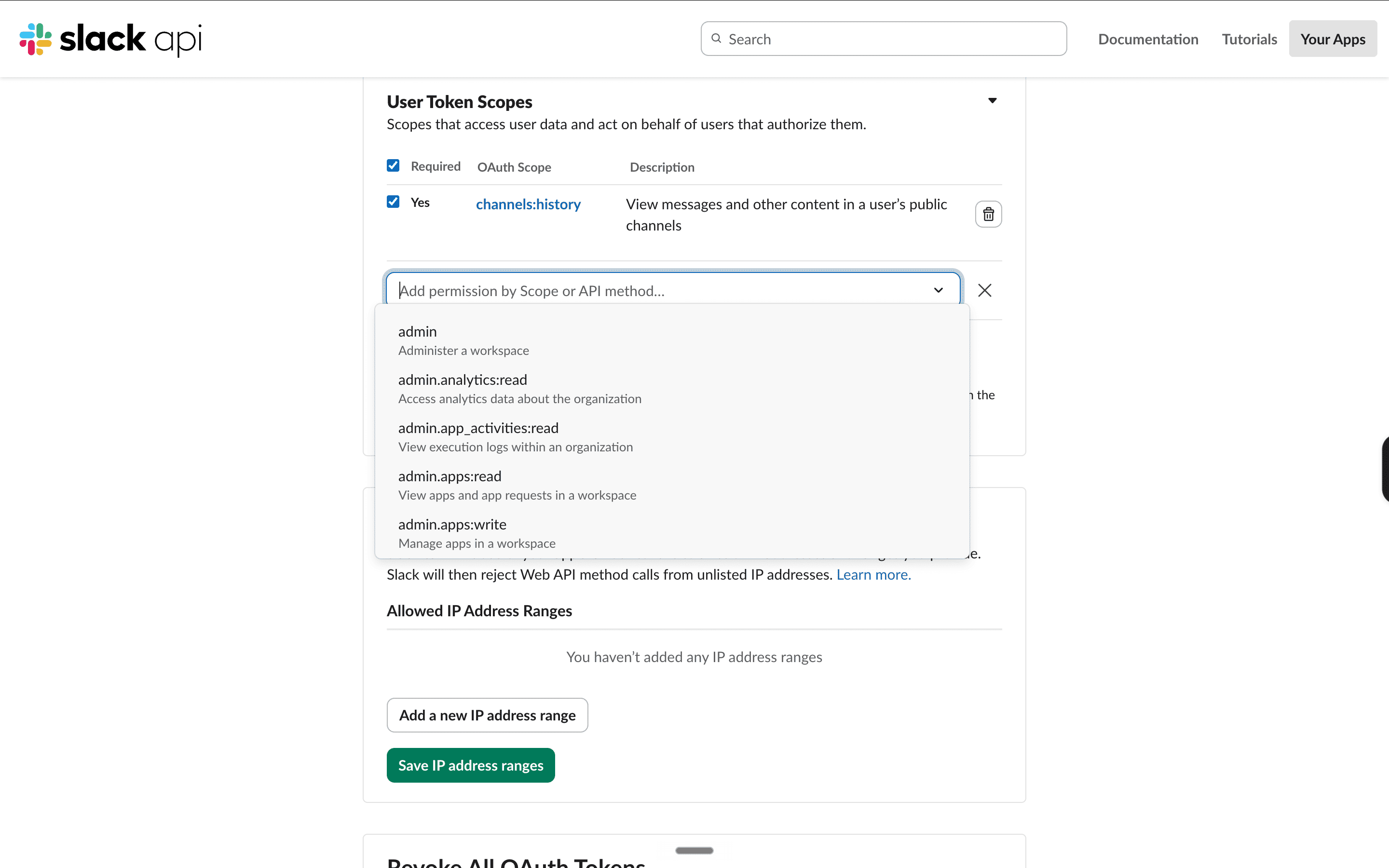
5. Scroll to User Token Scopes and add every scope in this list:
channels:history
channels:read
groups:history
groups:read
im:history
im:read
im:write
mpim:history
mpim:read
search:read
chat:write
6. Scroll back up and click Install to Workspace
7. Copy the token that starts with xoxp- and save it somewhere safe
Step 2: Get your Groq API key
1. Go to console.groq.com
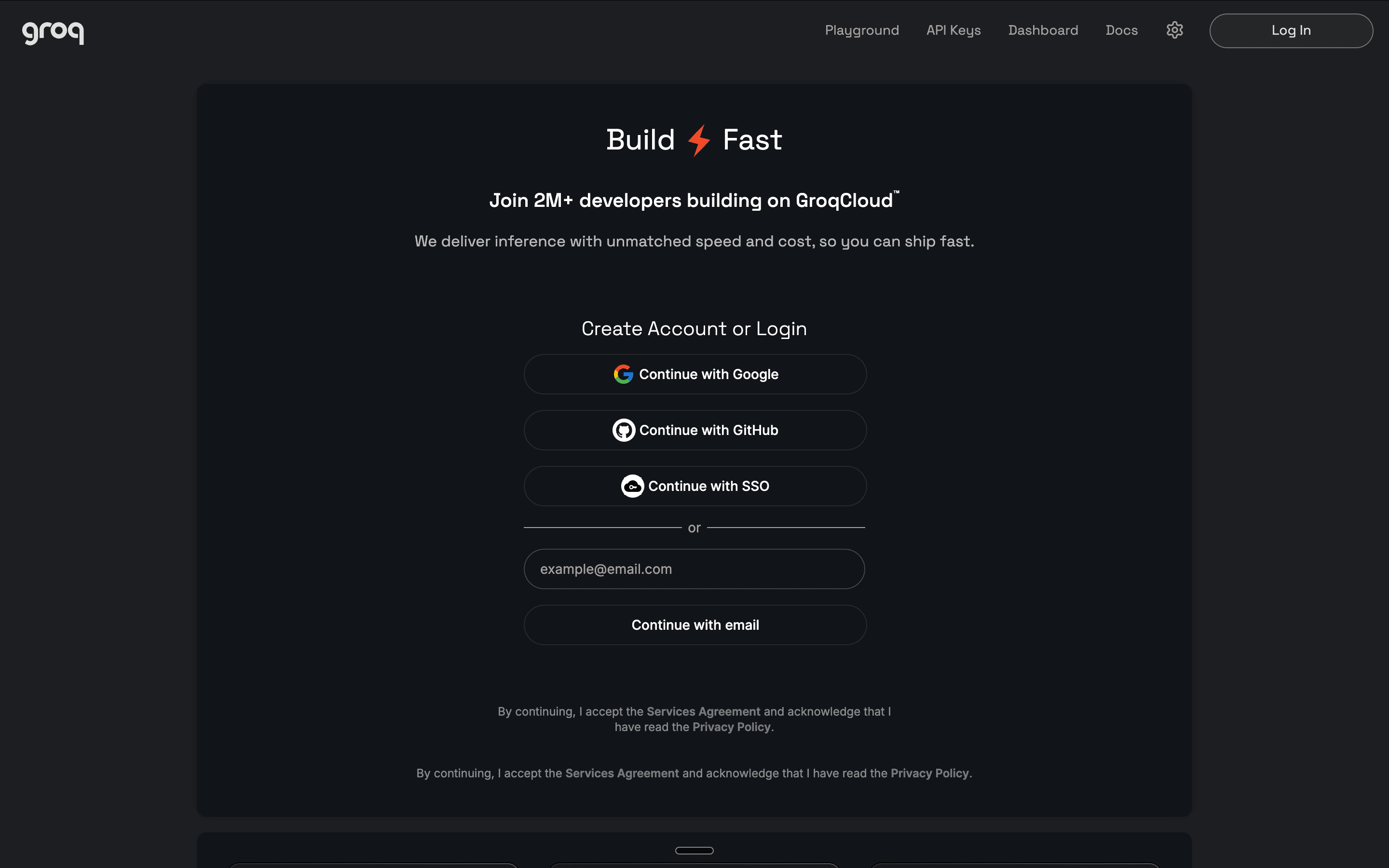
2. Sign up with your Google account — no credit card needed
3. Click the API Keys button at the top
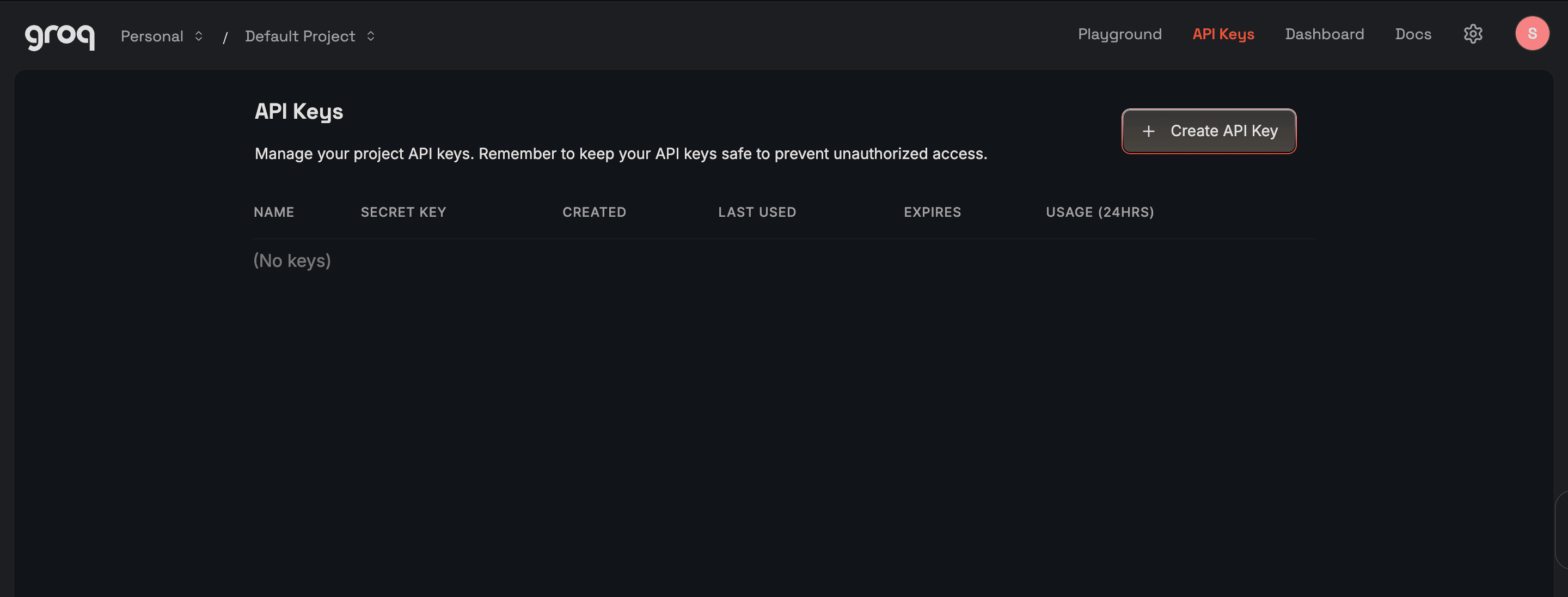
4. Click Create API Key, give it any name, and click Submit
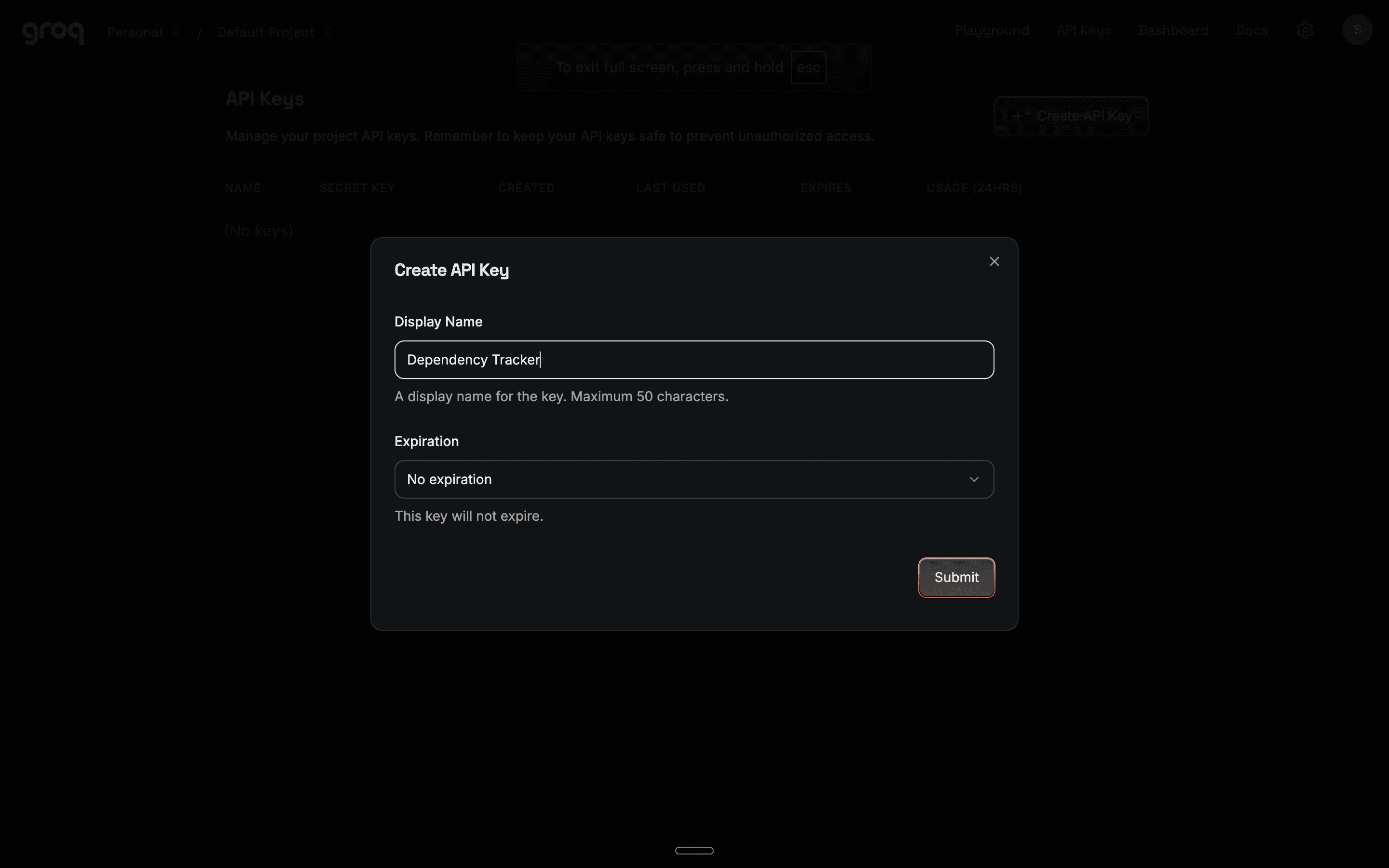
5. Copy the key and save it next to your Slack token
Step 3: Set up Google Colab (your test environment)
1. Go to colab.research.google.com
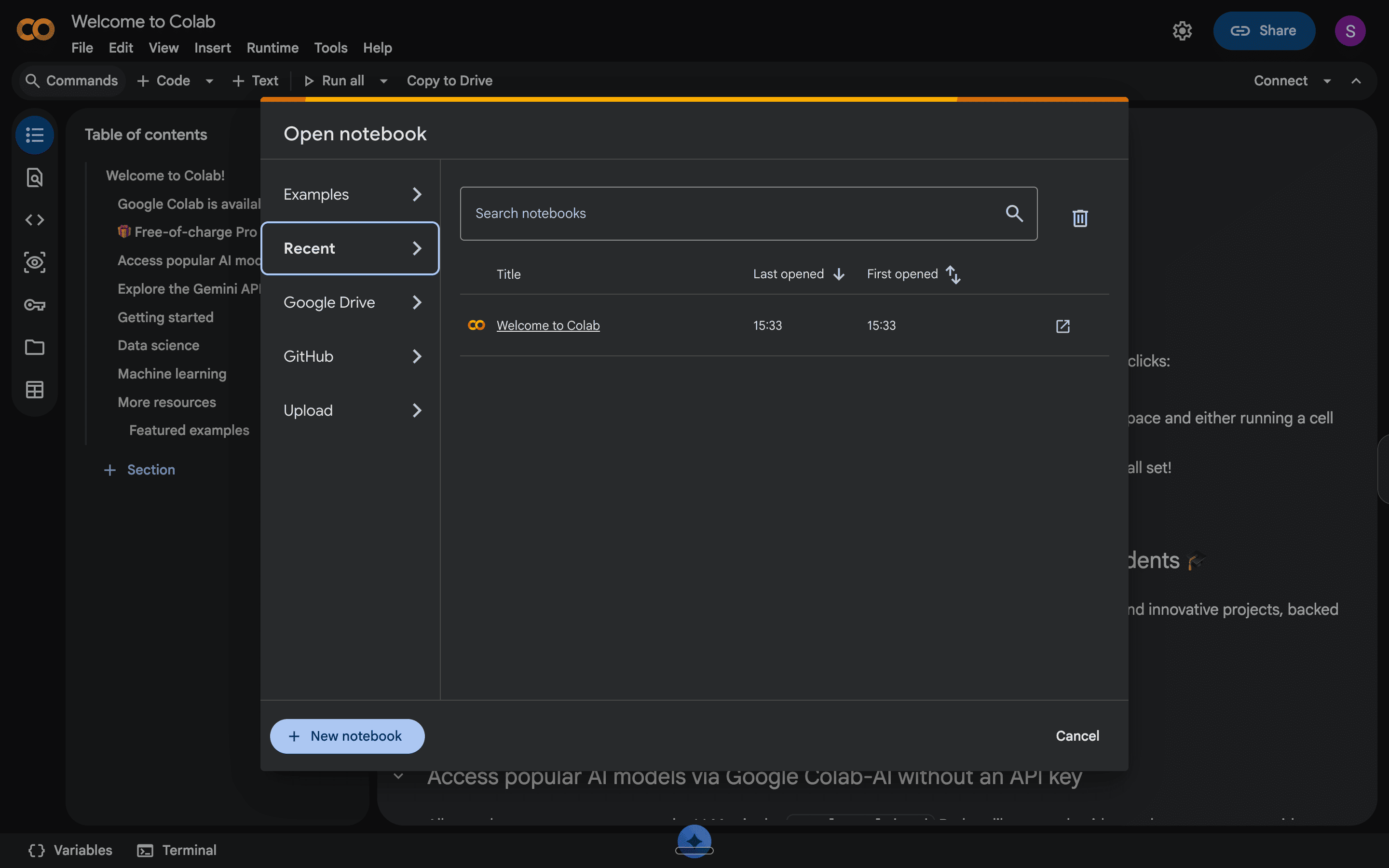
2. Click New Notebook and rename it — Dependency Tracker works
3. Click the key icon on the left sidebar to open Secrets
4. Add two secrets:
Name: SLACK_TOKEN — paste your xoxp- token as the value
Name: GROQ_API_KEY — paste your Groq key as the value
5. Toggle both secrets on
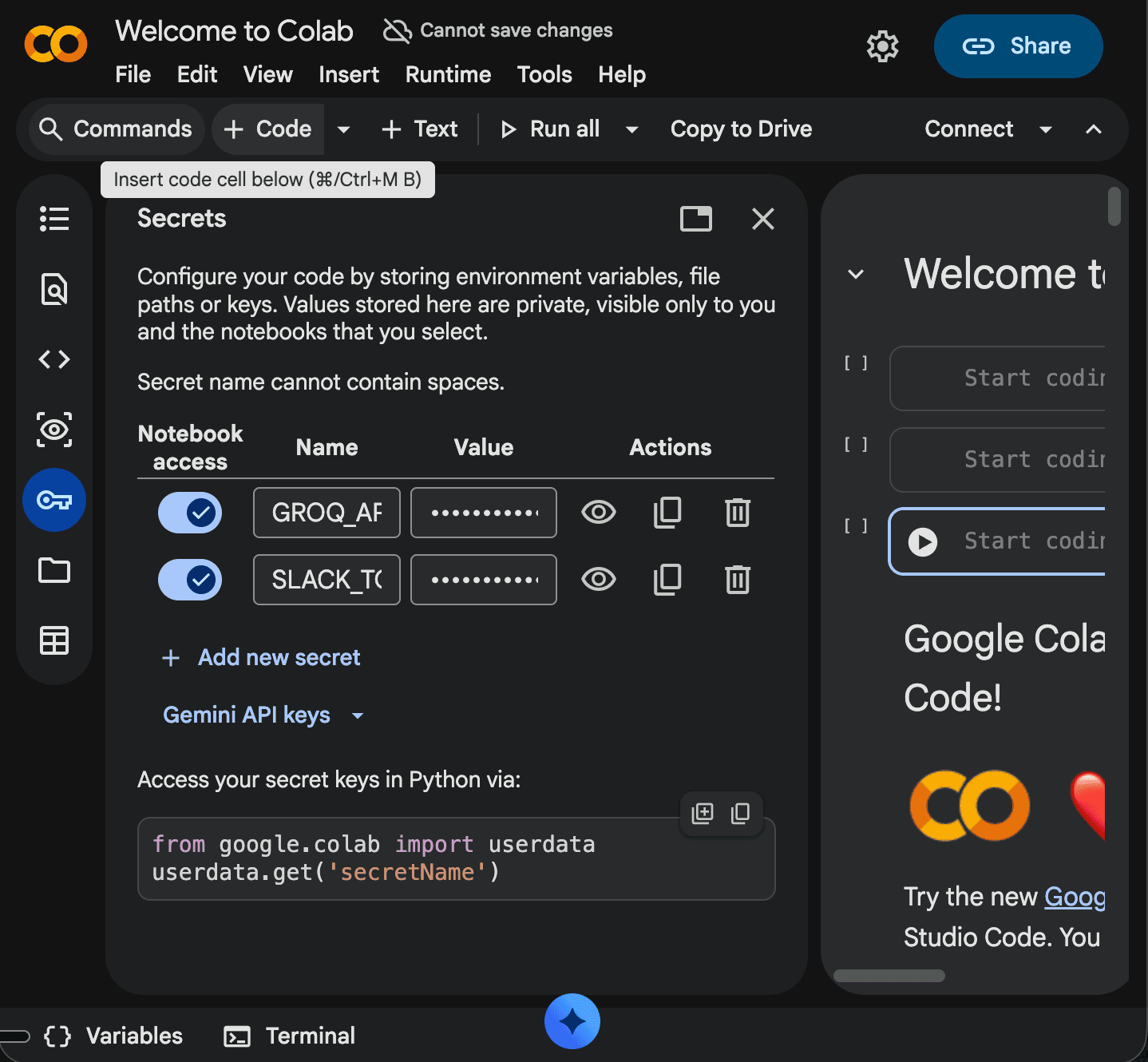
Step 4: Code testing in Colab.
1. Install the pip slack and groq libraries.
This installs the relevant Python packages for the Slack SDK and Groq so you can use them within Python. Here’s how you do it.
- Copy this line of code exactly into the first empty cell of your notebook and click on the small play button at the start of the cell.
pip install slack-sdk groq
You should see lines of text pop up on your screen and a small check mark next to your cell. This means your code ran successfully.
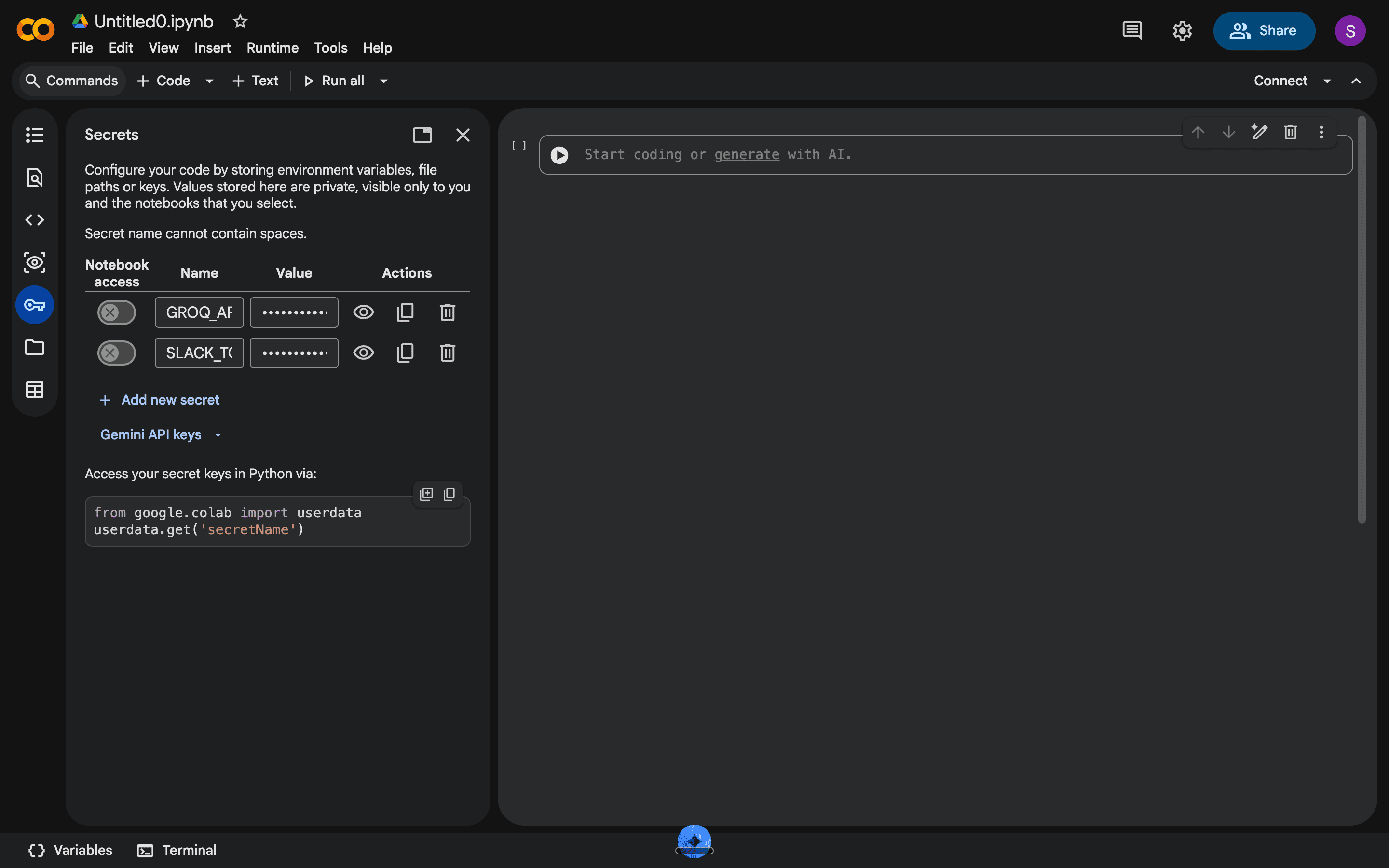
Next, add a new code block by clicking the Code button at the top.
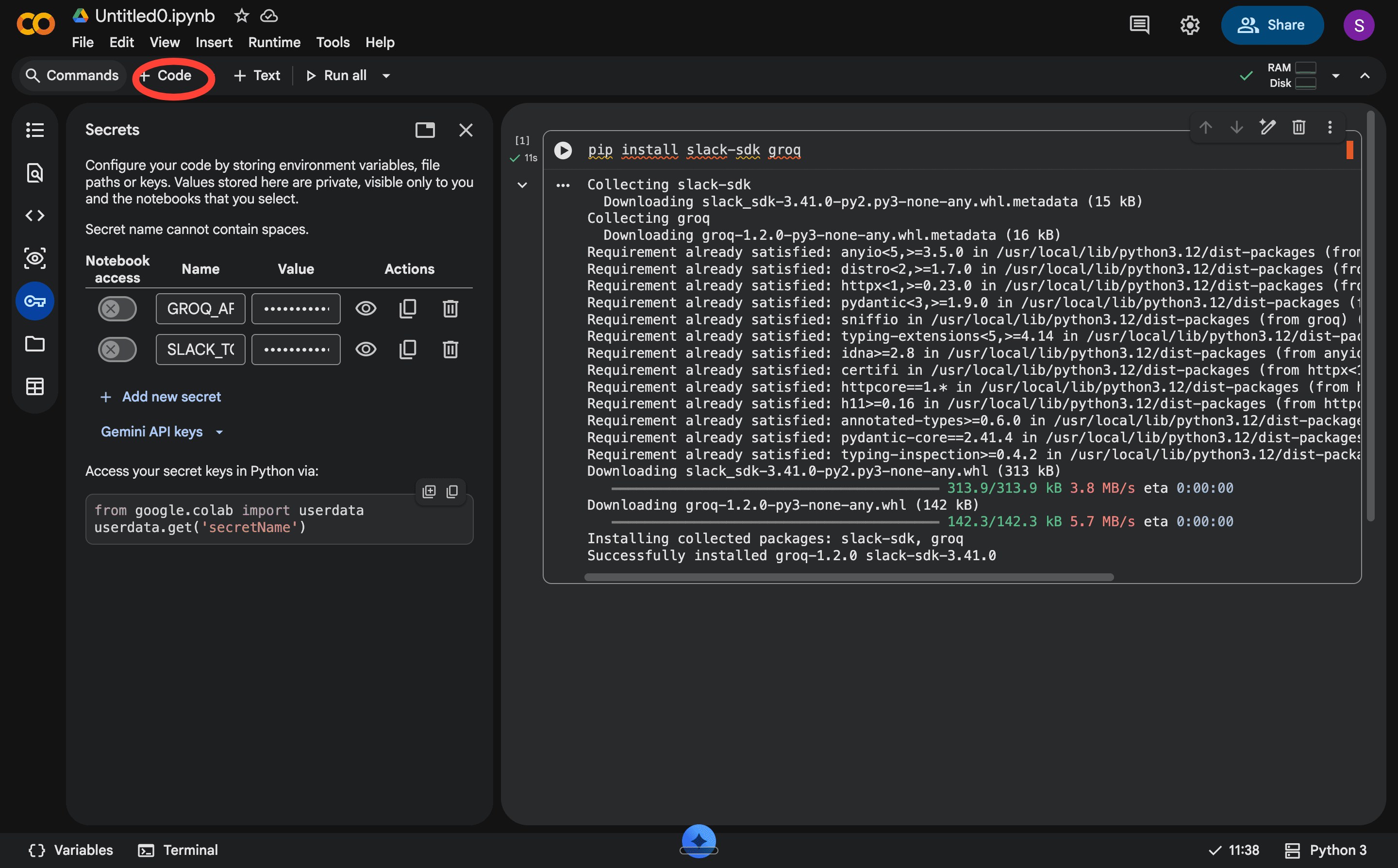
Then, load your credentials. To do this, copy this code exactly into the new code block/cell and click on the play button to run the code.
from google.colab import userdata
SLACK_TOKEN = userdata.get(”SLACK_TOKEN”)
GROQ_API_KEY = userdata.get(”GROQ_API_KEY”)
If prompted, click Grant access. This pulls your tokens from the secrets panel into the script — they never appear in plain text in your code.
Step 4: Run the tracker.
Add a new cell by clicking the Code button, copy this code, and run it.
from slack_sdk import WebClient
from datetime import datetime, timedelta
from groq import Groq
import time
slack = WebClient(token=SLACK_TOKEN)
groq_client = Groq(api_key=GROQ_API_KEY)
my_user_id = slack.auth_test()[”user_id”]
cutoff = datetime.now() - timedelta(days=2)
cutoff_ts = cutoff.timestamp()
channels = slack.conversations_list(
types=”public_channel,private_channel,im,mpim”,
limit=200
)[”channels”]
section1 = []
section2 = []
for channel in channels:
channel_id = channel[”id”]
channel_name = channel.get(”name”, “DM”)
try:
messages = slack.conversations_history(
channel=channel_id,
oldest=cutoff_ts,
limit=100
)[”messages”]
for msg in messages:
if msg.get(”bot_id”) or msg.get(”subtype”) == “bot_message”:
continue
msg_ts = float(msg.get(”ts”, 0))
days_waiting = (datetime.now() - datetime.fromtimestamp(msg_ts)).days
if days_waiting < 2:
continue
thread_ts = msg.get(”thread_ts”) or msg.get(”ts”)
try:
replies = slack.conversations_replies(
channel=channel_id,
ts=thread_ts
)[”messages”]
except:
replies = [msg]
human_replies = [
r for r in replies
if not r.get(”bot_id”) and r.get(”subtype”) != “bot_message”
]
last_sender = human_replies[-1].get(”user”) if human_replies else None
if msg.get(”user”) == my_user_id and last_sender == my_user_id:
section1.append({
“channel”: channel_name,
“message”: msg.get(”text”, “”)[:120],
“days_waiting”: days_waiting
})
if f”<@{my_user_id}>” in msg.get(”text”, “”) and msg.get(”user”) != my_user_id:
if msg.get(”bot_id”):
continue
i_replied = any(
r.get(”user”) == my_user_id
for r in human_replies[1:]
)
if not i_replied:
section2.append({
“channel”: channel_name,
“message”: msg.get(”text”, “”)[:120],
“days_waiting”: days_waiting,
“status”: “never replied”
})
else:
last_messages = “\n”.join(
[r.get(”text”, “”) for r in human_replies[-3:]]
)
prompt = f”“”Read these Slack messages and answer only YES or NO.
Is this conversation still unresolved or waiting for further action?
Messages:
{last_messages}
Answer only YES or NO:”“”
response = groq_client.chat.completions.create(
model=”llama-3.3-70b-versatile”,
messages=[{”role”: “user”, “content”: prompt}],
max_tokens=10
)
answer = response.choices[0].message.content.strip().upper()
if “YES” in answer:
section2.append({
“channel”: channel_name,
“message”: msg.get(”text”, “”)[:120],
“days_waiting”: days_waiting,
“status”: “unresolved”
})
time.sleep(0.3)
except:
continue
section1.sort(key=lambda x: x[”days_waiting”], reverse=True)
section2.sort(key=lambda x: x[”days_waiting”], reverse=True)
output = “*🔴 Dependency Tracker*\n\n”
output += “*You are waiting on someone:*\n”
if section1:
for item in section1:
output += f”• #{item[’channel’]} — {item[’message’]} _({item[’days_waiting’]} days ago)_\n”
else:
output += “• Nothing. All clear.\n”
output += “\n*Someone is waiting on you:*\n”
if section2:
for item in section2:
output += f”• #{item[’channel’]} — {item[’message’]} _({item[’days_waiting’]} days ago, {item[’status’]})_\n”
else:
output += “• Nothing. All clear.\n”
dm = slack.conversations_open(users=my_user_id)
dm_channel_id = dm[”channel”][”id”]
slack.chat_postMessage(channel=dm_channel_id, text=output)
print(”Posted to your Slack DM.”)
print(”\nPreview:”)
print(output)
When it finishes the run, you should see ‘Posted to your Slack DM ‘ in the notebook, and the summary arrive in your Slack DM.
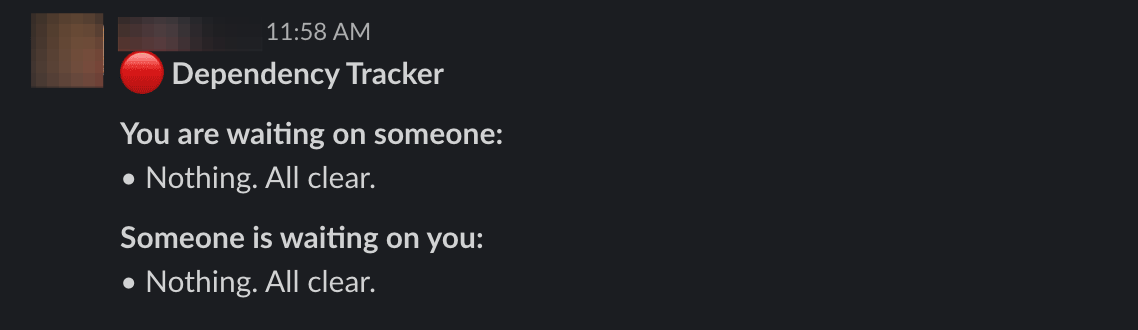
Step 5: Automate your code with Pipedream
1. Go to pipedream.com and sign up with your Google account — no credit card needed.
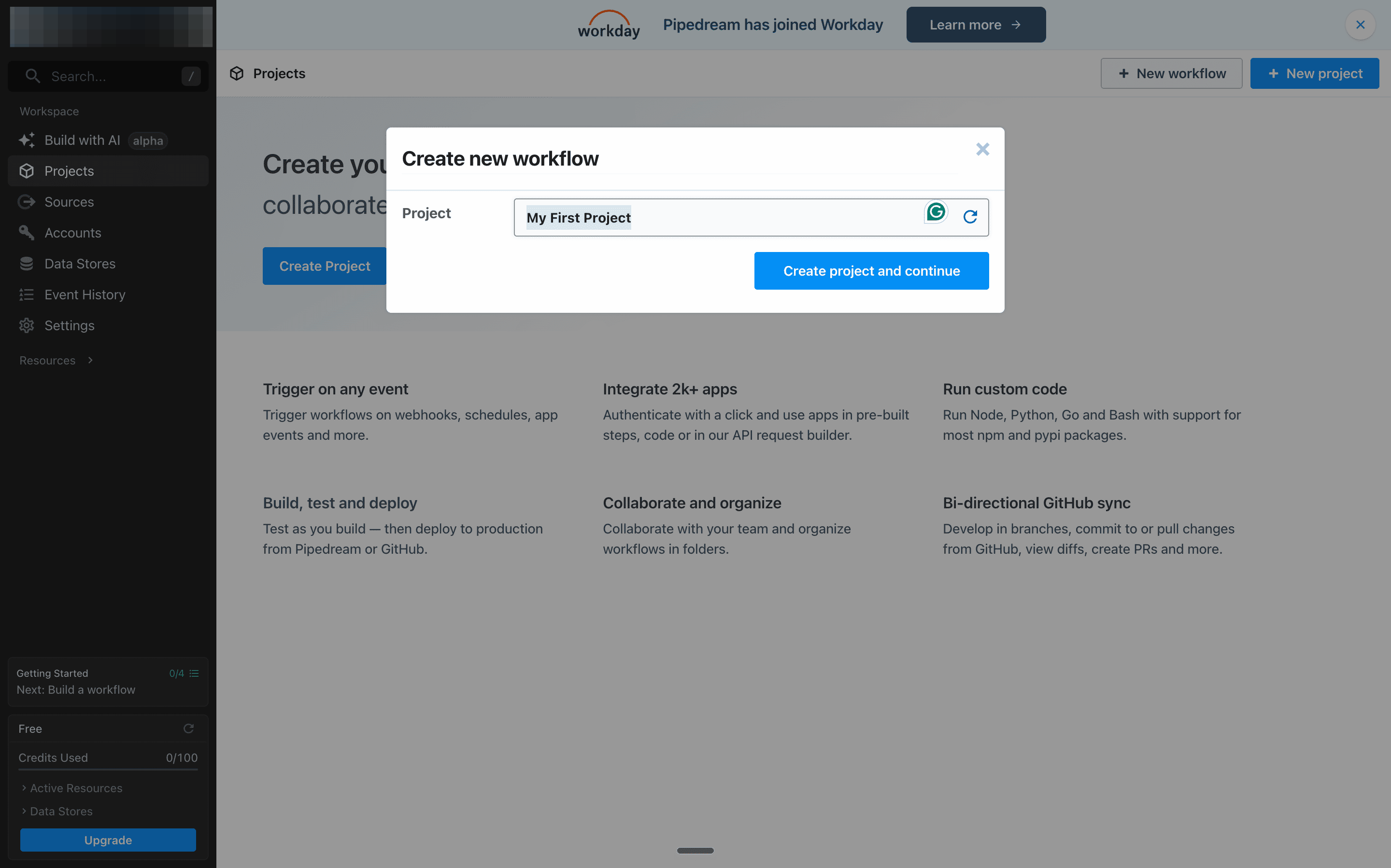
2. Click New Workflow and name it Dependency Tracker. Click on Create project and continue.
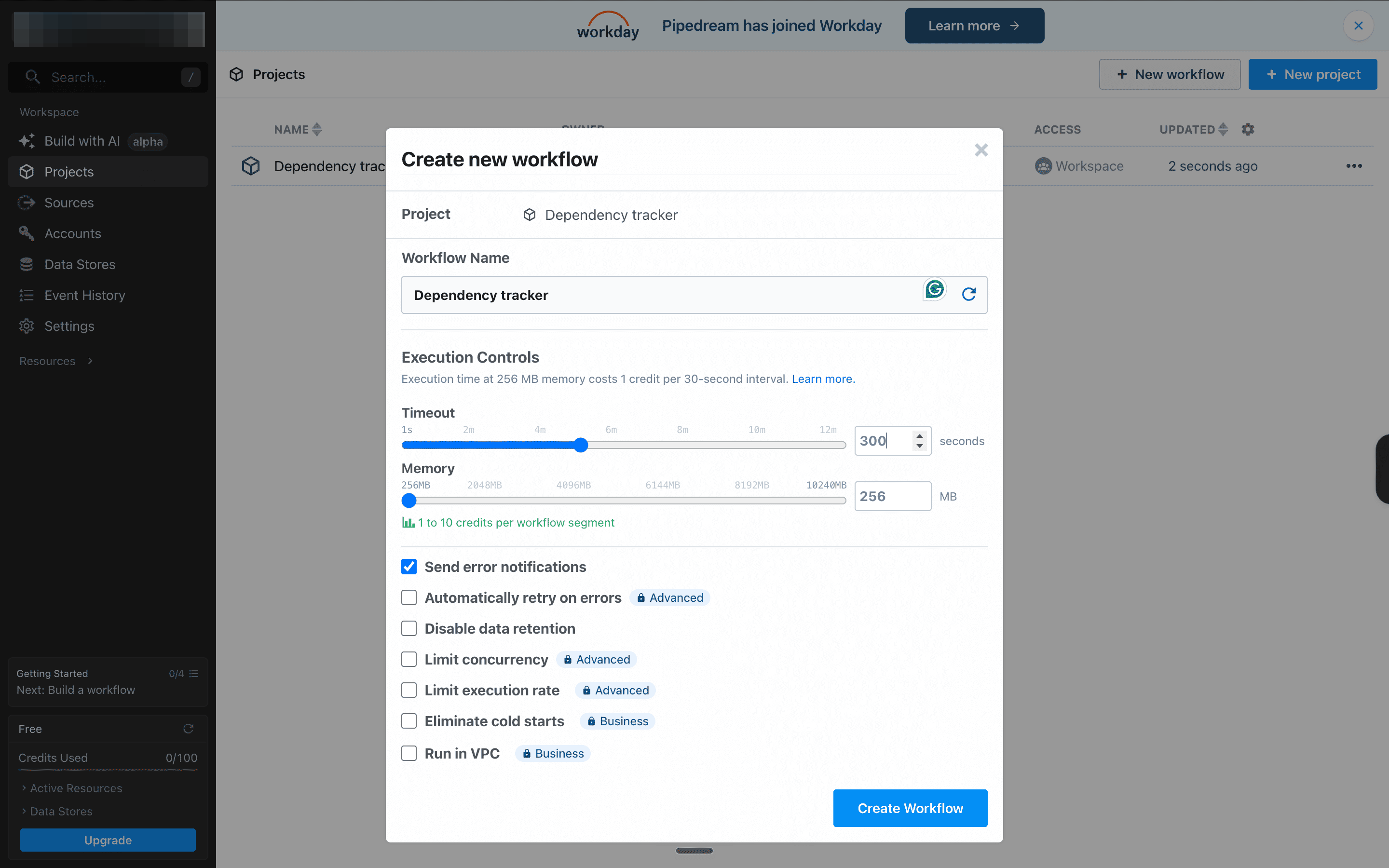
3. Set the Timeout to 300 seconds and click Create Workflow. Doing this gives enough time for your script to go through all your Slack messages and highlight conversations that need to be followed up on. Don’t worry, this 300s lag will happen in the background, so you’ll never really notice it.
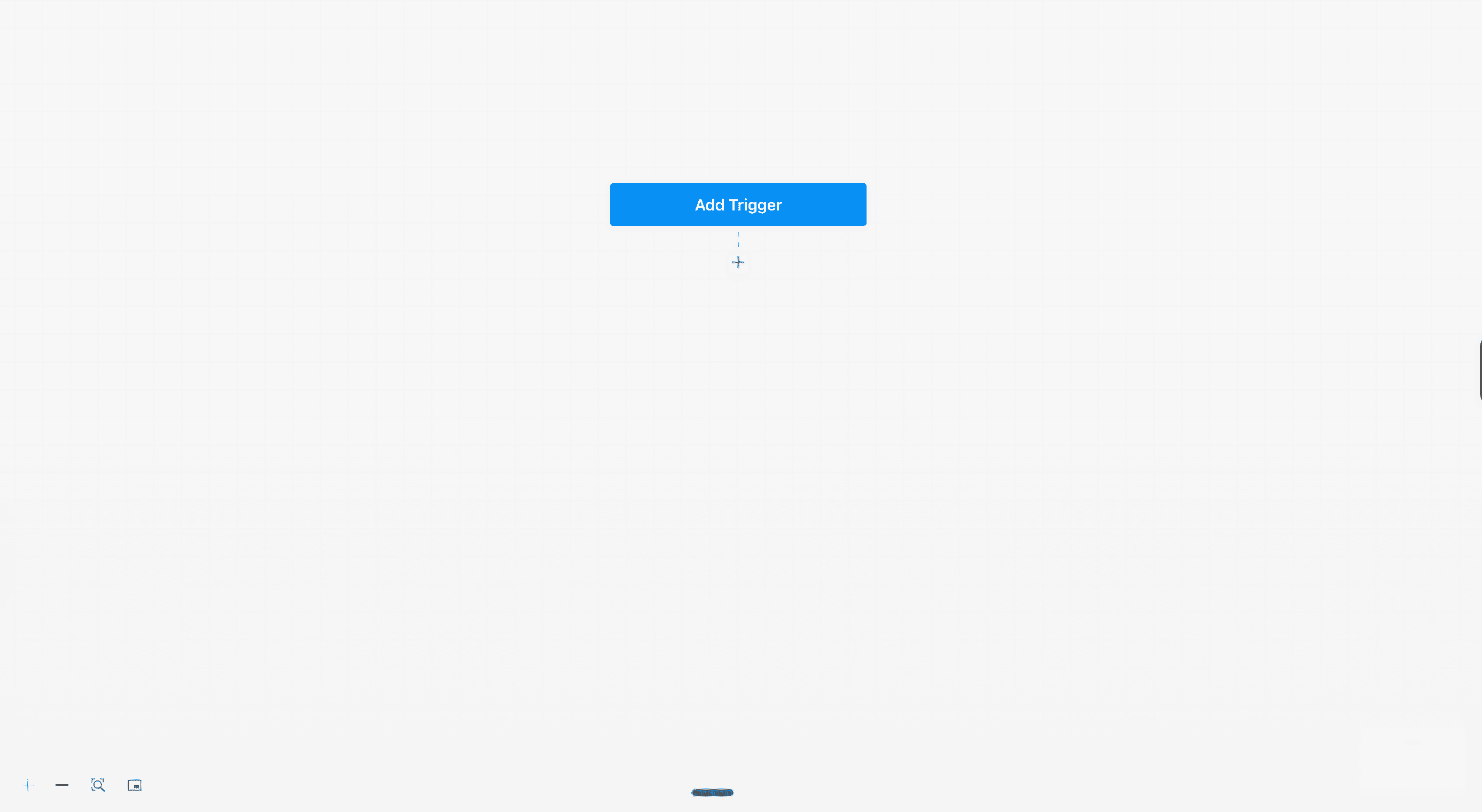
4. You should now see your workspace with an Add Trigger button. Click on it.
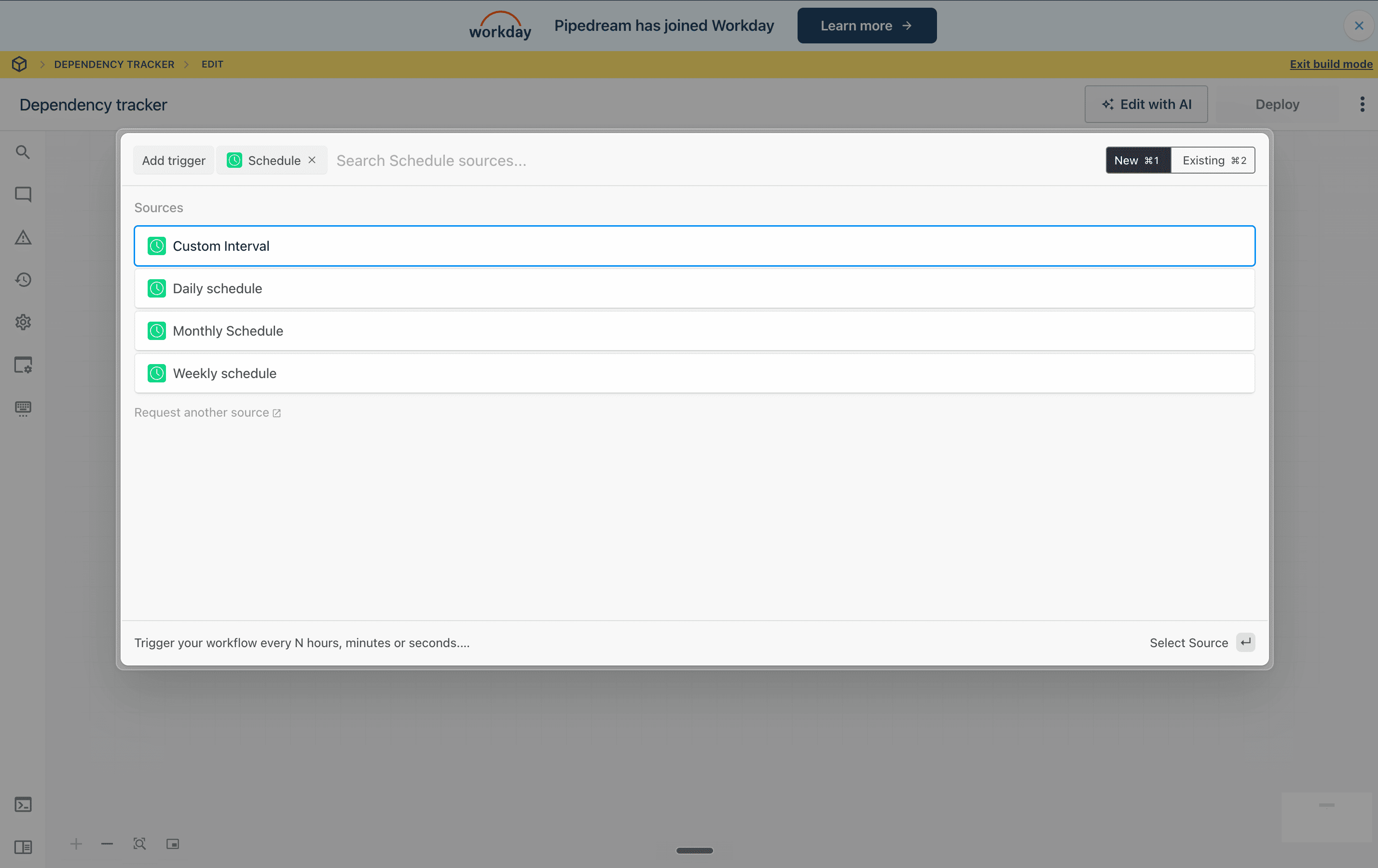
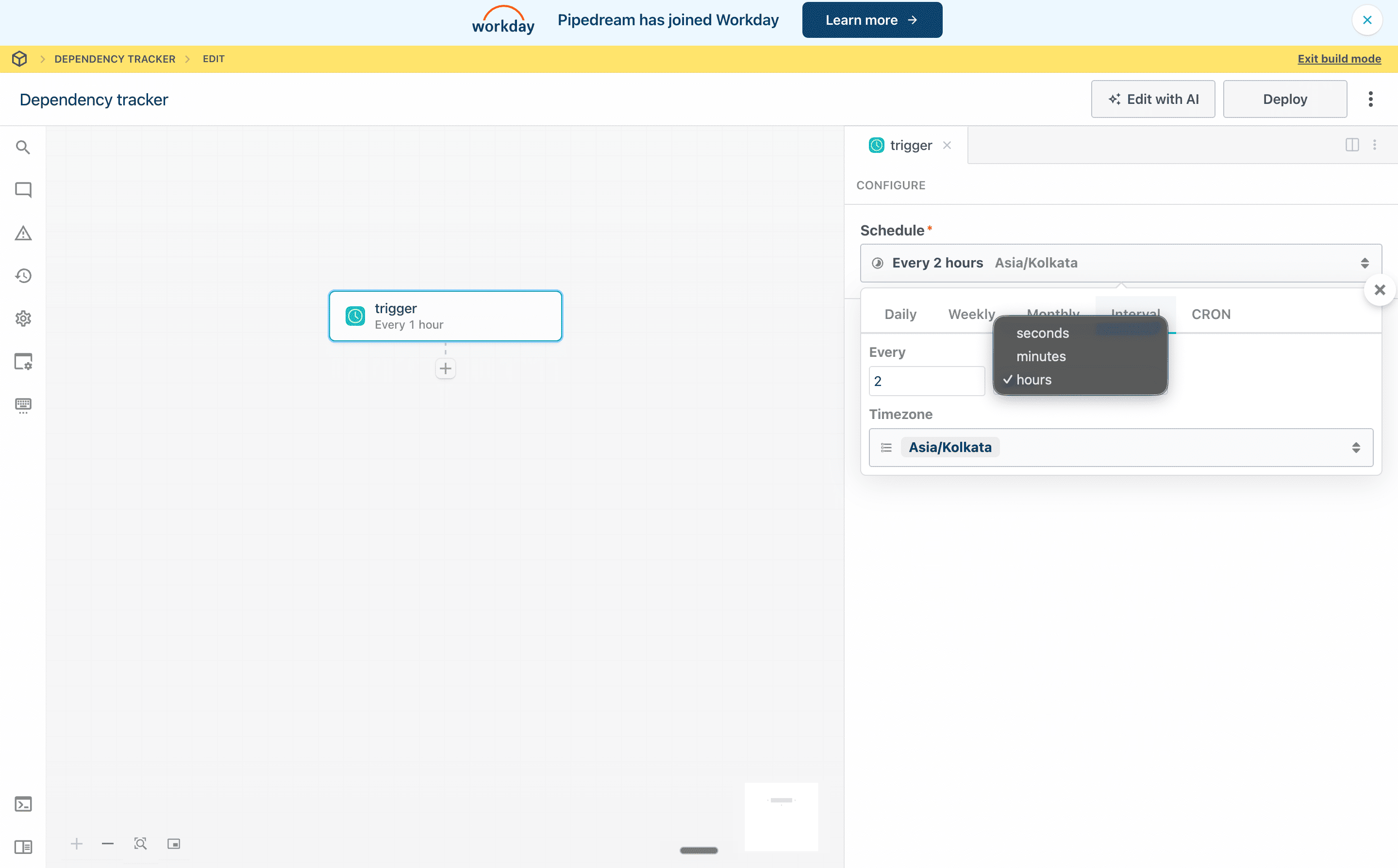
5. Select Schedule, then click the Custom interval tab.
6. Set the interval to every 48 hours. This ensures your script runs only once every 2 days. Then set your time zone to your location.
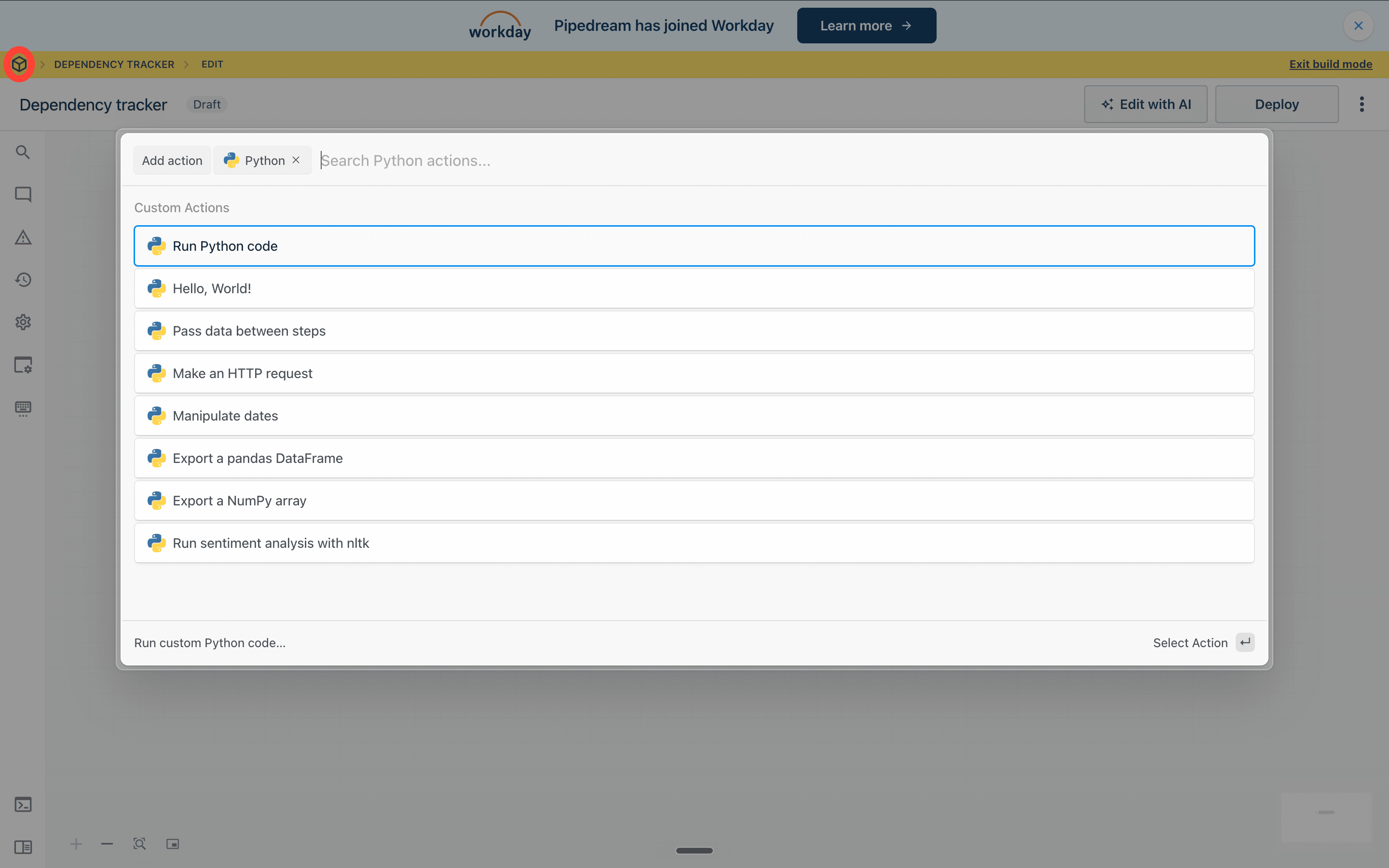
7. Click the + below the trigger and select Run Python code.
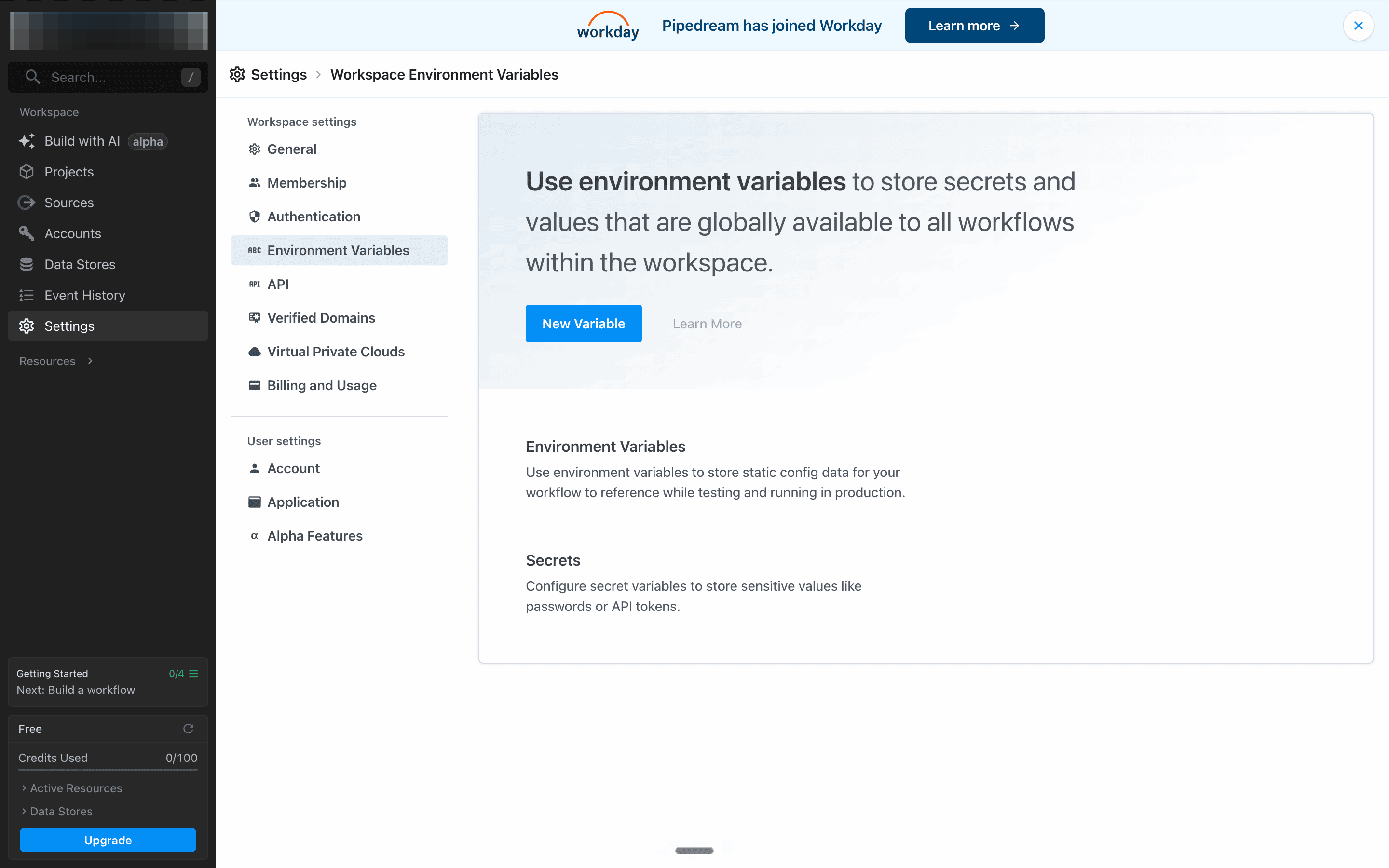
8. Next, click on the Cube at the top of your screen. Go to Environment Variables in the left sidebar and add two variables:
SLACK_TOKEN — paste your xoxp- token
GROQ_API_KEY — paste your Groq key
9. Now, click on Dependency Tracker, navigate to the code step and click on it. Clear the editor, and paste the code below.
import os
from slack_sdk import WebClient
from datetime import datetime, timedelta
from groq import Groq
import time
def handler(pd: “pipedream”):
SLACK_TOKEN = os.environ.get(”SLACK_TOKEN”)
GROQ_API_KEY = os.environ.get(”GROQ_API_KEY”)
slack = WebClient(token=SLACK_TOKEN)
groq_client = Groq(api_key=GROQ_API_KEY)
my_user_id = slack.auth_test()[”user_id”]
cutoff = datetime.now() - timedelta(days=2)
cutoff_ts = cutoff.timestamp()
channels = slack.conversations_list(
types=”public_channel,private_channel,im,mpim”,
limit=200
)[”channels”]
section1 = []
section2 = []
for channel in channels:
channel_id = channel[”id”]
channel_name = channel.get(”name”, “DM”)
try:
messages = slack.conversations_history(
channel=channel_id,
oldest=cutoff_ts,
limit=100
)[”messages”]
for msg in messages:
if msg.get(”bot_id”) or msg.get(”subtype”) == “bot_message”:
continue
msg_ts = float(msg.get(”ts”, 0))
days_waiting = (datetime.now() - datetime.fromtimestamp(msg_ts)).days
if days_waiting < 2:
continue
thread_ts = msg.get(”thread_ts”) or msg.get(”ts”)
try:
replies = slack.conversations_replies(
channel=channel_id,
ts=thread_ts
)[”messages”]
except:
replies = [msg]
human_replies = [
r for r in replies
if not r.get(”bot_id”) and r.get(”subtype”) != “bot_message”
]
last_sender = human_replies[-1].get(”user”) if human_replies else None
if msg.get(”user”) == my_user_id and last_sender == my_user_id:
section1.append({
“channel”: channel_name,
“message”: msg.get(”text”, “”)[:120],
“days_waiting”: days_waiting
})
if f”<@{my_user_id}>” in msg.get(”text”, “”) and msg.get(”user”) != my_user_id:
if msg.get(”bot_id”):
continue
i_replied = any(
r.get(”user”) == my_user_id
for r in human_replies[1:]
)
if not i_replied:
section2.append({
“channel”: channel_name,
“message”: msg.get(”text”, “”)[:120],
“days_waiting”: days_waiting,
“status”: “never replied”
})
else:
last_messages = “\n”.join(
[r.get(”text”, “”) for r in human_replies[-3:]]
)
prompt = f”“”Read these Slack messages and answer only YES or NO.
Is this conversation still unresolved or waiting for further action?
Messages:
{last_messages}
Answer only YES or NO:”“”
response = groq_client.chat.completions.create(
model=”llama-3.3-70b-versatile”,
messages=[{”role”: “user”, “content”: prompt}],
max_tokens=10
)
answer = response.choices[0].message.content.strip().upper()
if “YES” in answer:
section2.append({
“channel”: channel_name,
“message”: msg.get(”text”, “”)[:120],
“days_waiting”: days_waiting,
“status”: “unresolved”
})
time.sleep(0.3)
except:
continue
section1.sort(key=lambda x: x[”days_waiting”], reverse=True)
section2.sort(key=lambda x: x[”days_waiting”], reverse=True)
output = “*🔴 Dependency Tracker*\n\n”
output += “*You are waiting on someone:*\n”
if section1:
for item in section1:
output += f”• #{item[’channel’]} — {item[’message’]} _({item[’days_waiting’]} days ago)_\n”
else:
output += “• Nothing. All clear.\n”
output += “\n*Someone is waiting on you:*\n”
if section2:
for item in section2:
output += f”• #{item[’channel’]} — {item[’message’]} _({item[’days_waiting’]} days ago, {item[’status’]})_\n”
else:
output += “• Nothing. All clear.\n”
dm = slack.conversations_open(users=my_user_id)
dm_channel_id = dm[”channel”][”id”]
slack.chat_postMessage(channel=dm_channel_id, text=output)
return {”status”: “sent”}
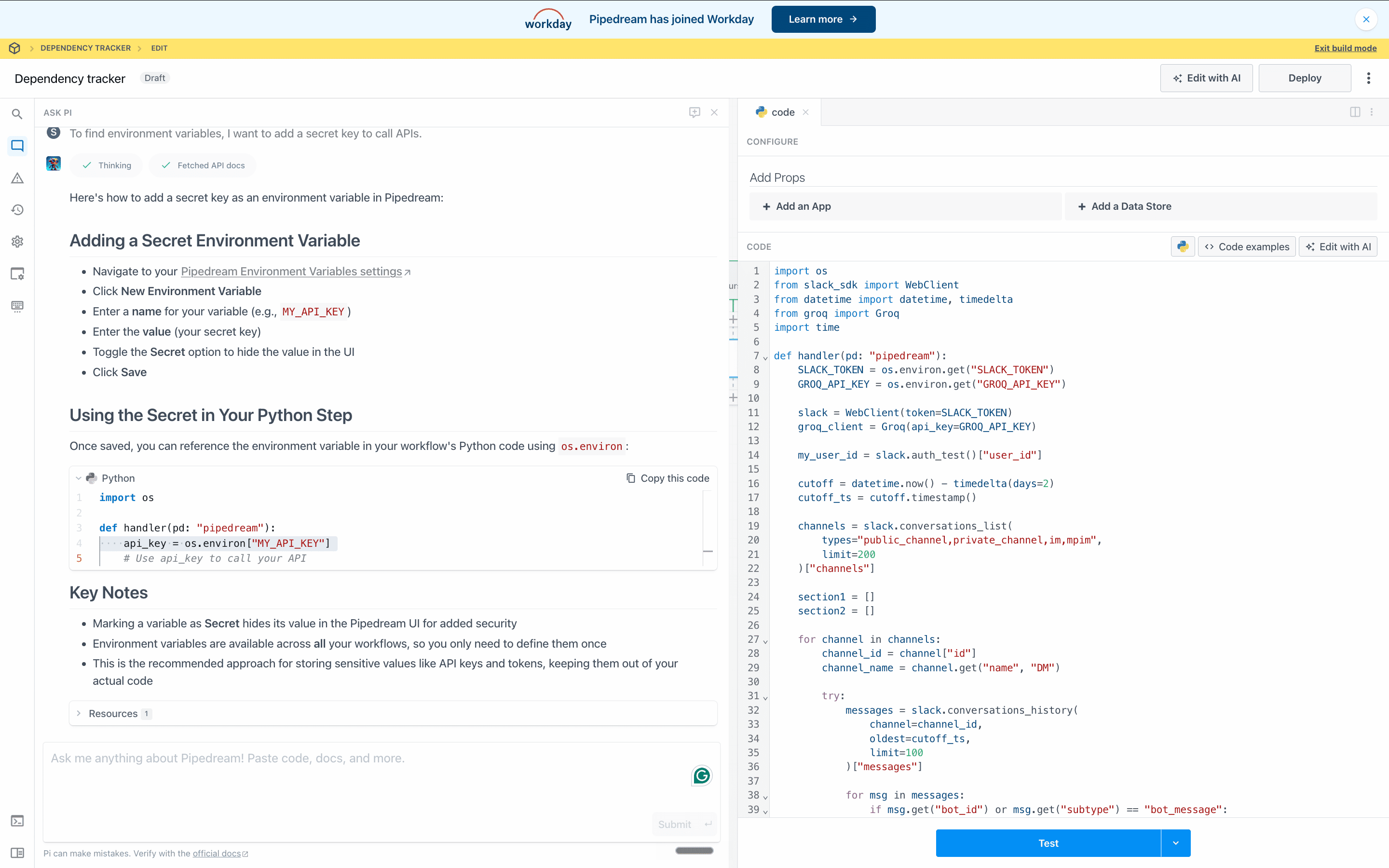
Click Test — you will get a Slack DM confirming it works. Then, click Deploy.
Try it and tell us what you think!